6/9/2025 · Portfolio Admin
What Smart TVs Taught Me About Fixing Car Infotainment Systems
Synced from Medium RSS
Bridging the Gap Between Embedded UI Performance and Automotive Experience
Why Are Car Infotainment Systems Still So Frustrating?
Let’s be honest — most car infotainment systems still feel like they’re stuck in 2010. Slow boot-ups, laggy touchscreens, outdated maps, and tiny buttons make navigation a pain. Meanwhile, our phones are blazing fast and sleek. As a frontend engineer who recently optimized performance-sensitive Smart TV plugins for Samsung, I realized: the problems in automotive UIs mirror those we solved in Smart TVs. So why haven’t car systems caught up? And more importantly, can we apply Smart TV lessons to improve them?
Common Pain Points in Infotainment UIs
- Unresponsive Touch and Lag
Apps like maps or music take ages to open — sometimes even Android Auto feels sluggish. - UI Inconsistency Across Regions
Content varies or disappears based on firmware or localization quirks. - Overloaded UI on Weak Hardware
Infotainment systems try to do too much with limited RAM and CPU — leading to freezes and reboots. - OTA Updates That Break Everything
Updates take forever and often introduce new bugs.
These issues are no different from the challenges we tackled on Smart TVs.
Lessons Learned from Smart TV Development
On a recent project — building a Samsung FoodTV plugin for Tizen OS — I faced similar constraints:
- Lazy loading media to speed up initial load.
- SCSS and modular styles for low-latency rendering.
- Remote-based navigation patterns (up/down/select) akin to steering wheel controls.
- Localization compatibility across global markets.
These optimizations — performance under hardware constraints, modular design, low-latency UI — translate directly to automotive systems.
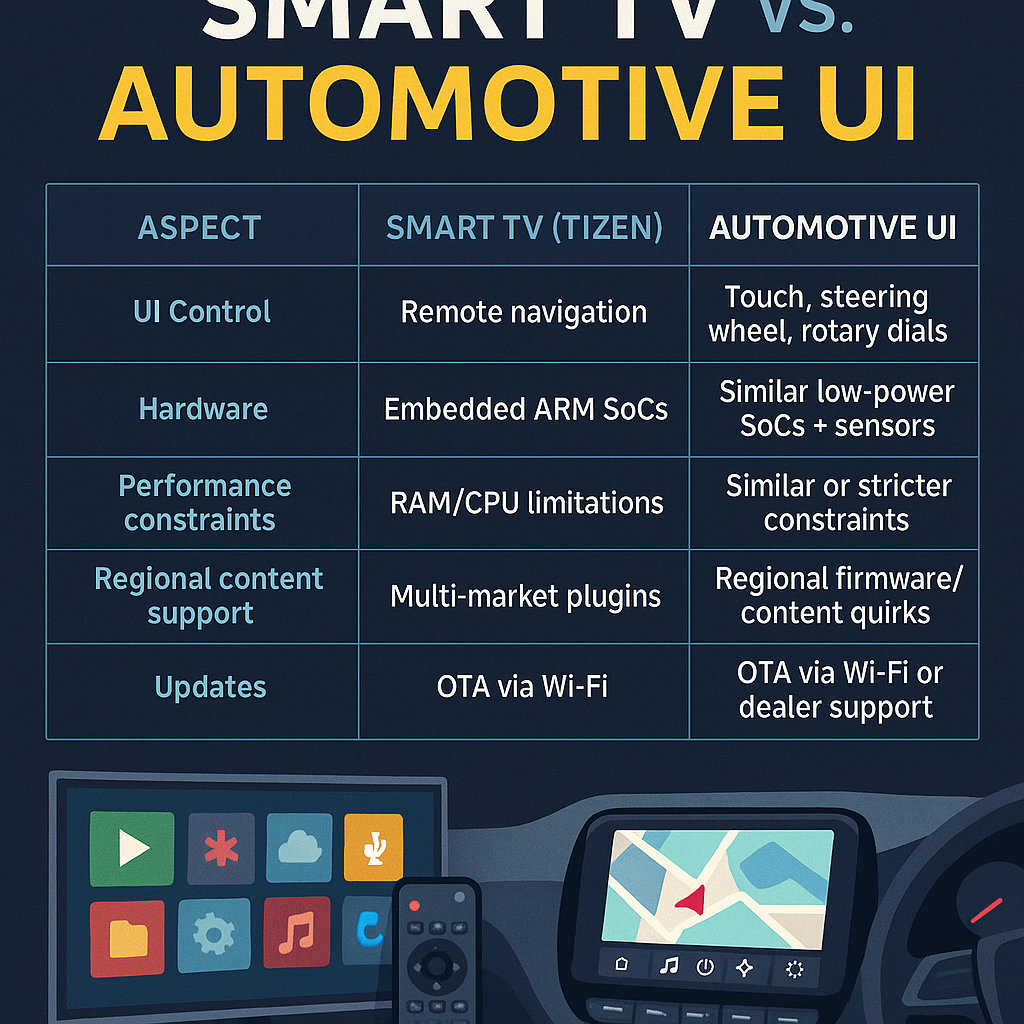
Smart TV vs. Infotainment: A Side-by-Side Comparison
| **Aspect**                 | **SmartTV (Tizen)**     | **Automotive UI**                    |
|---------------------------|--------------------------|---------------------------------------|
| UI Control                | Remote navigation         | Touch, steering wheel, rotary dials   |
| Hardware                  | Embedded ARM SoCs         | Similar low-power SoCs + sensors      |
| Performance Constraints   | RAM/CPU limitations       | Similar or stricter constraints       |
| Regional Content Support  | Multi-market plugins      | Regional firmware/content quirks      |
| Updates                   | OTA via Wi-Fi             | OTA via Wi-Fi or dealer support       |
If we can build fast, modular apps on SmartTVs, we can absolutely adapt those principles to car systems.
My Transition Into Automotive UI
I’m now exploring the automotive domain and aligning my skills to bridge this gap:
- 📚 Learning CAN network, Android Auto & QNX.
- 🛠️ Contributing to AniX, my open-source React animation library.
- 🔁 Designing modular, testable UIs with Angular and React.
- 🎯 Focusing on UX for remote and in-motion interactions — prioritizing safety and clarity.
Final Thoughts
Infotainment systems shouldn’t be the weakest link in the driving experience. By adopting performance-conscious design patterns, modular architectures, and cross-domain expertise, we can build car UIs that feel as responsive and polished as our smartphones.
If you’re working on automotive UI or recruiting in this space, let’s connect. I’d love to apply my Smart TV and web experience to transform your dashboard.
About the Author
Frontend Engineer • Angular, React & TypeScript • AniX Library Creator • Former Samsung Smart TV UI Developer
GitHub • NPM (AniX) • AniX Docs